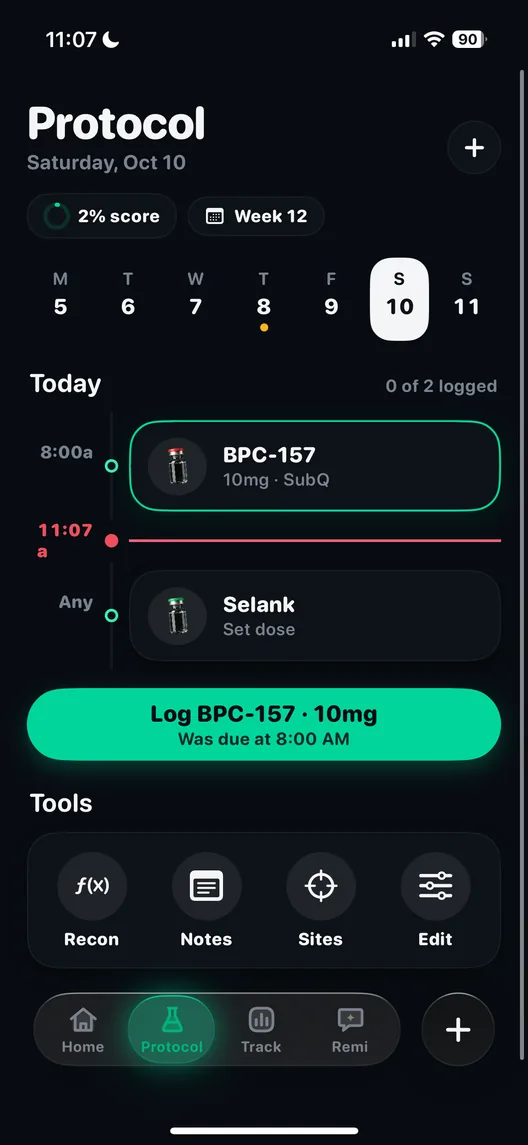
Peptide AI on Apple Watch
The fewer steps between taking a dose and recording it, the more likely the record gets made. On the watch it is a tap.
The Apple Watch app does three things. It lets you log a dose from your wrist without opening the phone. It shows today's rings, your streak and your vitals. And workouts recorded on the watch are imported into the training log on the phone, so the session you just finished is already there next to your doses.
How it works, step by step
- Set up the protocol on the phone. The watch reads what is due from the protocol planner.
- Take the dose, then tap. Log it from the watch. It lands in the same dose log as a phone entry, with the time it was taken.
- Glance at the day. The watch shows today's rings, the current streak and your vitals.
- Train as normal. Workouts recorded on the watch come into the training log on the phone automatically. You do not re-enter them.
Why logging at the moment matters
A dose logged an hour later is usually fine. A dose logged at the end of the day, or the next morning, is where errors creep in: the wrong time, the wrong amount, or no entry at all because it slipped from memory. The research on self-monitoring keeps returning to the same point. A 2011 systematic review of 22 self-monitoring studies in weight loss found a consistent link between monitoring and results, and also found that the studies relied heavily on self-report, which is only as good as the moment it is made. The shorter the gap between doing something and writing it down, the better the record.
Reminders help with the other half. A meta-analysis of 16 randomised trials in JAMA Internal Medicine found that text message reminders roughly doubled the odds of people taking medicine as planned (odds ratio 2.11). A reminder that arrives on the wrist, followed by a tap to confirm, closes the loop in the same place.
Why workouts come in automatically
Anyone judging a recovery protocol, or trying to hold muscle while on a GLP-1 receptor agonist, needs training on the same timeline as the doses. Typing in every session is the step most people skip. Apple Watch already records workouts, and with your permission apps can read that data through Apple Health. Apple's own privacy page for the Health app explains that you choose which apps can read which data types, and you can change it at any time.
The result is that the training log fills in from the watch without extra work, and the weekly training goal counts it.
Why the streak sits on the wrist
Logging is a habit, and habits take longer to form than most people expect. In a study in the European Journal of Social Psychology, 96 volunteers repeated a chosen daily behaviour for 12 weeks and rated how automatic it felt. The time it took people to reach their plateau ranged from 18 days to a projected 254 days, and more complex behaviours took longer. Two findings are useful here. Doing the behaviour in a consistent context helped. And missing a single day did not materially set the process back. A streak you see every time you check the time is a consistent cue, and one missed day is a reason to log the next one, not to give up.
Who it is for
- People who already wear an Apple Watch and want dose logging to be one tap rather than an app launch.
- Anyone on a weekly injection who tends to forget to log it after the fact.
- People who train regularly and want sessions next to doses without typing them in.
The watch app is on iPhone with Apple Watch. On Android, training and other data come in through Health Connect, covered on the wearable integrations page.
How it connects to the rest of the app
A dose logged on the watch is a normal entry in the dose log, so it counts down the vial, keeps the streak going and can carry a site for the rotation map. Imported workouts land in the training log. Deeper data from the watch, such as heart rate variability, resting heart rate and sleep, comes in through Apple Health as part of the wearable integrations, where it sits on the same axis as the doses. The community can see your streak, never your doses.
If you wear a watch, try logging your next dose from it and check the phone afterwards. The entry, the time and the streak will all be there. The app is on the download page.
Questions people ask
Can I log a peptide dose from my Apple Watch?
Yes. You can log a dose from the watch without opening the phone, and it lands in the same dose log.
What does the watch app show?
Today's rings, your logging streak and your vitals.
Do Apple Watch workouts sync into the app?
Yes. Workouts recorded on the watch are imported into the training log on the phone and count toward your weekly goal.
Is there a watch app for Android?
The watch app is for Apple Watch. On Android, data from wearables comes in through Health Connect.
Who controls what the app can read from Apple Health?
You do. Apple Health asks permission per data type, and you can change or revoke access in settings at any time.
Sources
- Every feature, in depth, Peptide AI
- Privacy policy, PeptideAI LLC
- Peptide AI on the App Store, Apple App Store
- Health app and privacy, Apple
- Self-monitoring in weight loss: a systematic review of the literature, Journal of the American Dietetic Association, 2011
- Mobile telephone text messaging for medication adherence in chronic disease: a meta-analysis, JAMA Internal Medicine, 2016
- How are habits formed: modelling habit formation in the real world, European Journal of Social Psychology, 2010